Miyerkules, Marso 15, 2017

Lesson 18

Tablets for Textbooks in Schools

Image result for lesson 18 edtech 2

Today, books are still the primary medium of instruction in most schools. Already, there is a disadvantage of using books for learning that are being debated upon. The errors in public school textbooks have also been exposed, errors resulting from wrong information, technical mistakes and editorial lapses.
                                 
      Today, technology is being viewed as a savior because the students are enamored by computer games. By that, the educators have begun to think that the computer screen can very well serve as a power point educational medium.

      In general, tablets as a primary learning tool can be replacing the textbooks. Tablets are conducive to higher thinking, constructive and participative teaching-and-learning. By that, parents gave full support to the IT advancement. Technology itself may be a key to problem resolution and Filipino ingenuity is called to respond to the challenge facing the digital generation of the millennium.

Having something that can replace heavy bulky books is a good idea, the students will no longer suffer from carrying heavy books and if the only use tablets they can access their books anytime anywhere because it can be brought easily without hassle.
It is no longer impossible as what the students in La Salle were experiencing. Even ordinary college students were no longer buying books in the store especially now that PDF format copies of the books were already available and free to be downloaded.

In the near future this kind of events will be achieve by all levels of schools in the Philippines it may sound impossible because of the current situation in our country that cannot even provide good classrooms and equipment. But nothing is impossible, if there’s a will to become better there will always a way in achieving better and bigger things.

Martes, Marso 14, 2017

Lesson 16

The Internet and Education

The internet, also simply called the Net, is the largest and far-flung network system of all systems. Surprisingly, the internet is not really a network but a loosely organized collection of about 25,000 networks accessed by computer on the planet. It is astonishing  to know that no one owns the internet. It has no central headquarters, no centrally offers services, and no comprehensive online index to tell users what information is available in the system.

Getting Around The Net
The vast sea of information now in the internet, including news and trivia, is an overwhelming challenge to whom who wish to navigate it .Everyday, the net user population and the available information, continue to grow , and new ways are continuously being developed to tour the internet.
The most attractive way to move around the internet is called browsing. Using a program called browser, the user can use a mouse to point and click on screen icons to surf the internet, particularly the World Wide Web (the Web) , an Internet, s subset of text, images, and sounds are linked together to allow users to access data or information needed.
The future of the internet seems limitless. Already its complexity has spawned and continue to spawn Net sites including new demand for services to business, industries , science, government, and even homes. Many error predict that the internet is destined to become the centerpiece of all online communication in the planet and in some future time in the solar system using interplanetary satellite communication stations.

A view of educational uses of the Internet
Today, even elementary school parades in progressive countries like the United states are corresponding via e-mail with pen pals in all 50 states. They ask probing questions like, “What is your state’s most serious problem?,” or How much does a pizza cost in your state? This educational activity prodded by their schools are paying dividends for increasing the pupil’s interest min Geography to a greater understanding of how people live in large cities and other places in the United States or the world.

Educations software materials have also developed both in sophistication and appeal. There is now a wider choice from rote arithmetic or grammar lessons to discovery and innovation projects. But the real possibility today is connecting with the world outside homes, classroom, and Internet cafes. Today schools are gearing up to take advantage of the Internet access, where they can plug into the library of Congress, make virtual visits to famous museums in the world, write to celebrities , and even send questions to heads of states.

Lesson 15

Understanding Hypermedia

Image result for lesson 15 edtech 2

From the Educational Technology I course, the student has already become aware of multimedia or an audiovisual package that includes more than one instructional media (means of knowing) such as text, graphics audio animation, and video clip.

Hypermedia is nothing but multimedia, but this tie packaged as an educational computer software where information is presented and student activities are integrated in a virtual I learning environment. Most educational IT applications are hypermedia and these include:

  • tutorial software package;
  • knowledge webpages;
  • simulation instructional games; and
  • learning project management, and others.

The presentation of information-learning activities in hypermedia is said to be sequenced in a non-linear manner, meaning that the learner my follow his path of activities thus providing an environment if leaner autonomy and thinking skills.The fact makes it therefore important to understand hypermedia in order to ensure their successful integration in the teaching-learning process.

The flight simulator used to train pilots in an example of a highly developed hypermedia program. Observe that it simulates an environment that allows the students pilots to practice authentic (as needed to be dine in the real world) tasks while reducing the lot of the cognitive mode of learning.

Characteristic of hypermedia applications

There are two important features that are outstanding — among other features that characterize the hypermedia software:

Learner control. The means the learner makes his owown decisions on path, row or events of instruction. The learner has control on such aspects as sequence, pace content, media, feedback, etc. that he/she may encounter in the hypermedia Pershing program.
Learner wide range of navigation routes. For the most part, the learner controls the sequence and pace of us path depending on his/her ability and motivation. He/she has the option to repeat and change speed, if desired. Of course, at the start the learner may choose the learning activities he/she prefers. Meanwhile, the teacher has the prerogative to determined suitable learning objectives.

          The learner also be a wide range of navigation routes such as by working on concepts  he/she is already familiar with. He/she may even follow a liner or logical path, even if the previous activity is half-completed. He/she may explore other sections opting to return or complete the previous activity.

Variety of media. Hypermedia includes more than one media (text,graphics audio,animation and video clip) but does not necessarily use all types of media in one presentation.Since only virtual learning activity takes place,it is important from the standpoint of the teacher to optimize the learning process by identifying the characteristics of media application,as well as the advantages and limitations of such an application.
        Given all its capabilities,hypermedia still does not replace life’s experience and learning from nature and life.This is the saying that information and communication technology cannot replace the teacher altogether.Note that even technologist admit that a computer has an IQ of zero and depends on what man can input or make of it. GIGO or “garbage-in, garbage a out” is the very first principle that should be remembered about the computer.

     In the use of hypermedia the following instructional events well prove useful to the he teacher:

Get the learners’ attention.
Recall prior learning.
Inform learners of lesson objectives.
Introduce the software and it’s distinctive features.
Guide learning, eliciting performance.
Provide learning feedback.
Assess performance .
Enhance retention and learning transfer.

Lesson 14

The Software as an Educational Resource

Image result for lesson 14 edtech 2

          Whenever people think about computers, they are most likely thinking about the computer machine such as the television-like monitor screen, the keyboard to type on, the printer which produces copies of text-and-graphics material, and the computer housing called “the box” which contains the electronic parts and circuits (the central processing unit) that receives/ stores data and direct computer operations. The computer machine or hardware is naturally an attention-getter.
           It’s more difficult to realize, however, that the computer hardware can hardly be useful without the program or system that tells what the computer machine should do. This is called software.

There are two kinds of software:

1. The system software. This is the operating system that is found or bundled inside all computer machines.
2. The application software. This contains the system that commands the particular task or solves a particular problem.

In turn the applications software may be:

(a) A custom software that is made for specific tasks often by large corporations, or
(b) A commercial software packaged for personal computers that helps with a variety of tasks such as writing papers, calculating numbers, drawing graphs, playing games, and so much more.

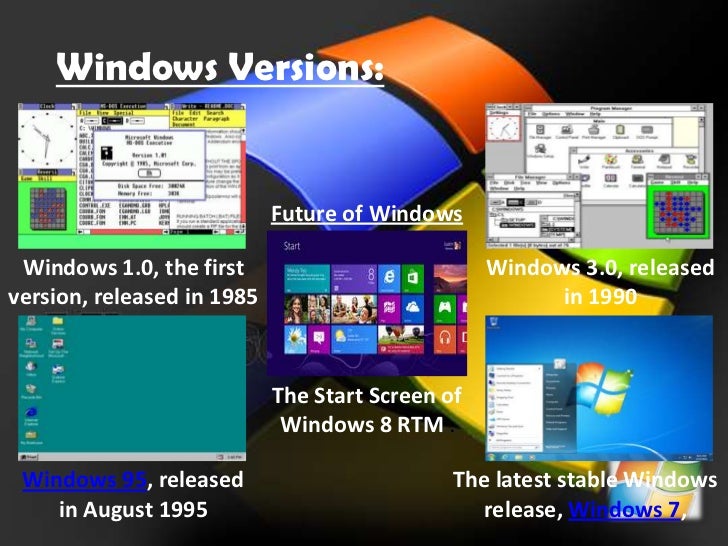
Microsoft Windows
 Image result for lesson 14 edtech 2

  Also referred to as program, Microsoft Windows or Windows for short is an operating environment between the user and the computer operating system. Also called a shell, it is a layer that creates the way the computer should work. Windows uses a colorful graphics interface (called GUI – pronounced “gooee”) that can be seen on the computer screen or monitor whenever the computer is turned on.

 The user can work with on-screen pictures (icons) and suggestions (menus) to arrive at the desired software. Windows 95 (now improved with Windows 2003 and 2007) is software designed for Microsoft Windows. Actually, Windows is in itself a self-contained operating system which provides

User convenience – just click a file name to retrieve data or click from program to program as easy as changing channels in your TV screen
A new look – fancy borders, smooth and streamlined text fonts
Information center – Windows puts all communications activities (e-mail, downloads etc. in a single screen icon); adapts/configures the computer for the Internet.
Plug and play – configures the computer with added components, such as for sound and video.
Instructional Software

Instructional Software 

Image result for lesson 14 edtech 2

Can be visited on the Internet or can be bought from software shops or dealers. The teacher through his school should decide on the best computer-based instructional (CBI) materials for the school resource collection. But beware since CBIs need much improvement, while web-based educational resources are either extremely good or what is complete garbage. In evaluating computer-based educational materials, the following can serve as guidelines:

  • Be extremely cautious in using CBIs and “free” Internet materials
  • Don’t be caught up by attractive graphics, sound, animation, pictures, video clips and music forgetting their instructional worth
  • Teachers must evaluate these resources using sound pedagogical principles.
  • Among design and content elements to evaluate are: the text legibility, effective use of color schemes, attractive layout and design, and easy navigation from section-to-section (such as from game to tutorial to drill-and-practice section)
  • Clarity in the explanations and illustrations of concepts and principles
  • Accuracy, coherence, logic of information
  • Their being current since data/statistics continually change
  • Relevance/effectiveness in attaining learning objectives

  • Absence of biased materials (e.g. gender bias or racial bias)

Lesson 13

Cooperative Learning with the Computer

Image result for edtech 2 lesson 13

The creativity of the teacher will have to respond to the situation, and so cooperative  learning will likely be the answer to the implementation of IT supported learning in schools. But the soup that I on may not be that bad since there are motivational and social benefits to cooperative learning and these can compensate for the lack of hardware that educators face.

Defining Cooperative Learning
Cooperative or collaborative learning is learning by small groups of students who work together in a common learning task. It is often also called group learning but be truly cooperative learning, five (5) elements are needed:
  • a common goal
  • interdependence
  • interaction
  • individual accountability
  • social skills

Therefore not every group work is cooperative learning since students working on their work sheets physically sat around a table may be working together without these features of cooperative learning.
From several studies made on cooperative learning, it is manifested that cooperative learning in its true sense is advantageous since it:

  • encourages active learning, while motivating students;
  • increase academic performance;
  • promotes literacy and language skills; and
  • improves teacher effectiveness.

In addition, there are studies which show that cooperative learning enhances personal and social development among students of all ages, while enhancing self-esteem and improving social relation between racially and culturally different students.

Cooperative learning and the computer
Researchers have been made studies in the learning interaction between the student and the computer. The studies have great value since it has been a long standing fear that the computer may foster student learning in isolation that hinders the development of the student’s social skills.

Now this mythical fear has been contradicted by true studies which show that when students work with computers in groups, they cluster and interact with each other for advice and mutual help. And given the option to work individually or in a group, the students generally wish to work together in computer-based and non-computer-based activities. Reflecting on this phenomenon, psychologist this k the computer fosters this positive social behavior due to the fact that it has a display monitor just like a televisions on set that is looked upon as something communal

Components of Cooperative learning
Educators are still wary about of the computer’s role in cooperative learning. Thus they pose the position that the use of computers do not automatically result in cooperative learning. In that case, therefore, assign the teacher several task in order to ensure collaborative learning. These are:
  • assigning students to mixed-ability teams;
  • establishing positive interdependence;
  • teaching cooperative social skills;
  • insuring individual accountability, and
  • helping group process information


These are in addition to assigning a common work goal in which each member of the group will realize that their group will not succeed unless everyone contributes to the groups success. 

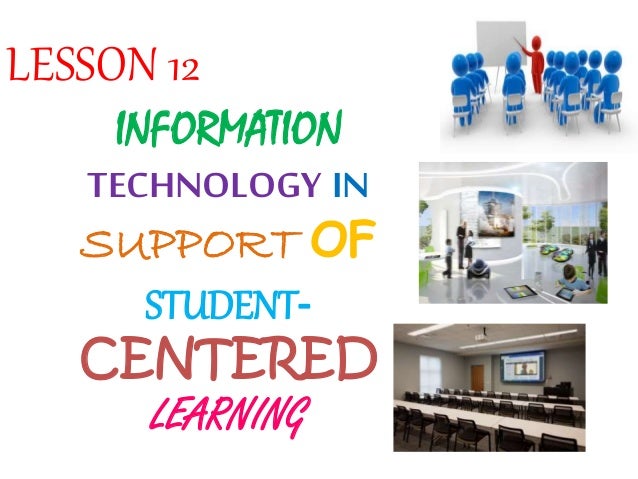
Lesson 12

Information Technology in Support of Student-Centered Learning
Image result for edtech 2 lesson 12

         The idea of student-centered learning is not a recent idea. In fact, as early as the 20th century, educational educators such as John Dewey argued for highly active and individualized pedagogical methods which place the student at the center of the teaching-learning process.

The Traditional Classroom
Image result for traditional classroom

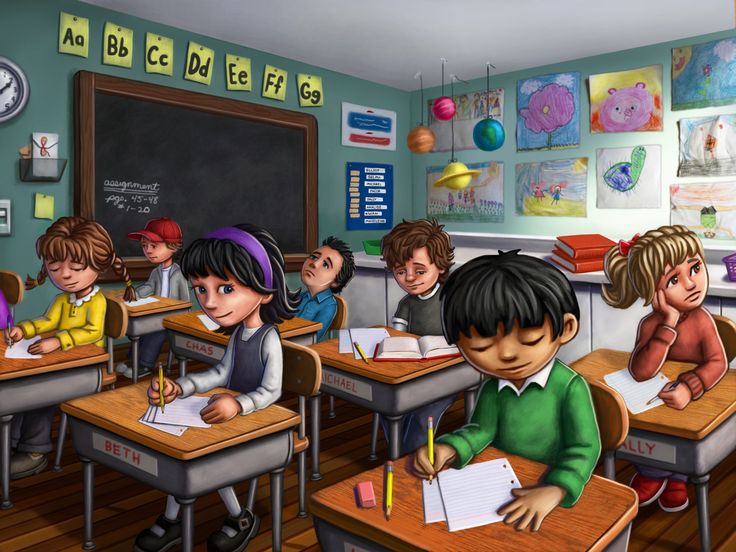
It may be observed that classrooms are usually arranged with neat columns and rows of student chairs or desks, while the teacher stands in front of the classroom or sits behind his table. This situation is necessitated by the need to maintain classroom discipline, also allows the teacher to control classroom activities through lecture presentation and teacher-led discussions.
Noticeably, however, after spending so many minutes in lesson presentation and class management, students can get restless and fidgety. Often enough, the teacher has to also manage misbehaviour in class as students start to talk among themselves or simply stare away in lack of attention.

The SCL Classroom

          John Dewey has described traditional learning as a process in which the teacher pours information to student learners, much like pouring water from a jug into cups. This is based on the long accepted belief that the teacher must perform his role of teaching so that learning can occur. This learning approach is generally known as direct instruction, and it has worked well for obtaining many kinds of learning outcomes. The problem with it is that the approach in learning, however, is the fact that the world’s societies have began to change. It may not be felt strongly to countries in which on countries who depends mostly their economy to factory workers. Traditional and direct instruction is very useful in these countries.

          In contrast, industrialized societies we find knowledge-based economies in which workers depend on information that can be accessed through information and communication technologies (ICTs). Desiring to gain effectiveness, efficiency and economy in administration, schools in these developed economies have also adopted the support of ICTs. Their students have now become active not passive learners, demonstrating independence and self-awareness in the learning process.

Lesson 11

The Computer As The Teacher’s Tool
Image result for edtech 2 lesson 11

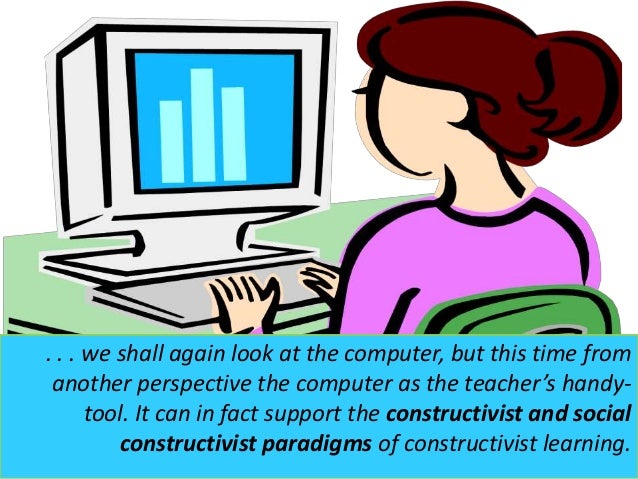
In the previous lesson, we saw how the computer can act as a tutor, particularly a long a behaviorist and cognitive at approach to a learning. But we also saw how certain computer software programs have been developed to foster other thinking skills and creativity.

In the Lesson, we shall again look at the computer, but this time from another perspective the computer as the teacher’s handy tool. It can in fact support the constructivist and social constructivist paradigms if learning.

Constructivism was introduced by Piaget (1981) and Brunet (1990).They gave stress t knowledge discovery of new meaning/concepts/principles in the learning process. Various strategies have been suggested to foster knowledge discovery, among these, is making students engaged in gathering unorganized information from which they can induce ideas and principles. Students are also asked to apply discovered knowledge to new situations, a process for making their knowledge applicable to real life situations.

While knowledge is constructed by the individual learner in constructivism, knowledge can also be socially constructed. Social constructivism is an effort to show the construction of knowledge is governed by social, historical and cultural contexts. In effect, this is to say that the learner who interprets knowledge has predetermined point of view according to the social perspectives of the community or society he lives in.

The psychologist Vygotsky stressed that learning is affected by social influences. He therefore, suggested the interactive process in learning. The more capable adult (teacher or parent) or classmate can aid or complement what the learner sees in a given class project. In addition, Dewey sees language as a medium for school coordination and adaptation. For Dewey human learning is really human languishing in that occurs when students socially share, build and agree upon meanings and knowledge.

The Computers Capabilities

Image result for edtech 2 lesson 11

Given its present-day speed, flexibility and sophistication, the computer can provide access to information, foster creative social knowledge-building, and enhance the communication of the achieved project package. Without the computer today’s learners may still be assuming the tedious task of low-level information gathering, building new knowledge packaging. But this is not so, since the modern computer can help teacher-and-students to focus on more high level cognitive tasks.

Based on the two learning theories, the teacher can employ the computer as a/an:

  • An information tool
  • A communication tool
  • A constructive tool
  • As co-constructive tool
  • A situating tool


Informative tool.  The computer can provide vast amounts of information in various forms, such as text, graphics, sound, and video. Even multimedia encyclopedias are today available on the internet.

The learner itself provides an enormous database from which user an access global information resources that includes the latest news, weather forecasts, airline schedule, sports development, entertainment news and features has well as educational information directly use to learners. The Internet on Education can be sourced for kinds of educational resources on the internet.

Constructive Tool.  The computer itself can be used for manipulating information, visualizing one’s understanding, and building new knowledge. The Microsoft Word computer program itself is desktop publishing software that allows user to organize and present their ideas in attractive formats.

Co-constructivist tools. Students can use co-constructive tools to work cooperatively and construct a shared understanding of new knowledge. One way of co-construction is the use it f the electronic whiteboard where students may post notices to a shared document/whiteboard. Students may also cover it the same document from their homes.
Situating tool.By means of virtual reality (RS) extension systems, the computer can create 3-D images on display to give the user the feeling that are situated in virtual environment. A flight simulation program is an example of a situating tool which places the user in simulated flying environment.

Multi-User Domains or Dungeons (MUDs), MUD Object-Oriented (MOOs), and Multi-User Shared Hallucination (MUSHs) are examples of situating systems. MUDs and MOOs are mainly text-based virtual reality environments on the internet. When users log on to a MOO environment, they may interact with the virtual reality (such as by writing on a notice board) through simple text-based commands. A school-to-school or classroom-to-classroom environment is possible whereby the user can choose to walk around the campus, talk with other users who are logged to the same site.

To caution users, the computer as a situating tool is news and still undergoing further research and development.